
Introducing Weathercloud 15: A New Map Experience with Progressive Zoom, Smart Device Clusters, Forecast Timelines, 3D Cities, and Globe View

At Weathercloud, we are constantly improving the way people explore and understand weather data. Following the successful release of version 14 earlier this year, we are proud to introduce Weathercloud 15, a major platform update that takes the Map experience to the next level with smoother navigation, richer visualizations, and powerful new tools to explore and analyze weather conditions around the globe.
The new Weathercloud Map introduces five major enhancements:
- Progressive Zoom.
- Smart Device Clusters.
- Forecast Timelines.
- 3D Cities.
- Globe View.
Together, these improvements deliver a faster, cleaner, and more immersive mapping experience across desktop and mobile devices.
🔎 Progressive Zoom
Navigating the Map now feels more fluid than ever.
Until now, zooming relied on predefined levels, which could make transitions feel abrupt. With the introduction of Progressive Zoom, navigation is now smooth and continuous, allowing you to seamlessly move from a global overview down to specific locations.
Whether you are monitoring local conditions, exploring regional weather patterns, or viewing devices across continents, the experience is now faster, more precise, and far more enjoyable than ever.
📍 Smart Device Clusters
With over 150,000 devices online across the Weathercloud network, the challenge is no longer finding devices, it is presenting them in a way that remains clear and intuitive at every scale.
To keep the Map clean and easy to explore, nearby stations are now automatically grouped into intelligent clusters that dynamically adapt as you zoom in and out. Instead of thousands of overlapping markers, you will see clear cluster indicators that progressively separate into individual devices as you move closer. Each cluster represents a minimum of five nearby devices, providing a cleaner overview without sacrificing detail.
Clustering becomes even more powerful when selecting a specific weather variable to display. Instead of showing the number of devices within an area, each cluster will display the average value of the selected variable from all devices it contains, such as wind speed, temperature, or humidity. This provides an instant overview of weather conditions across an entire area without requiring you to inspect each individual device.
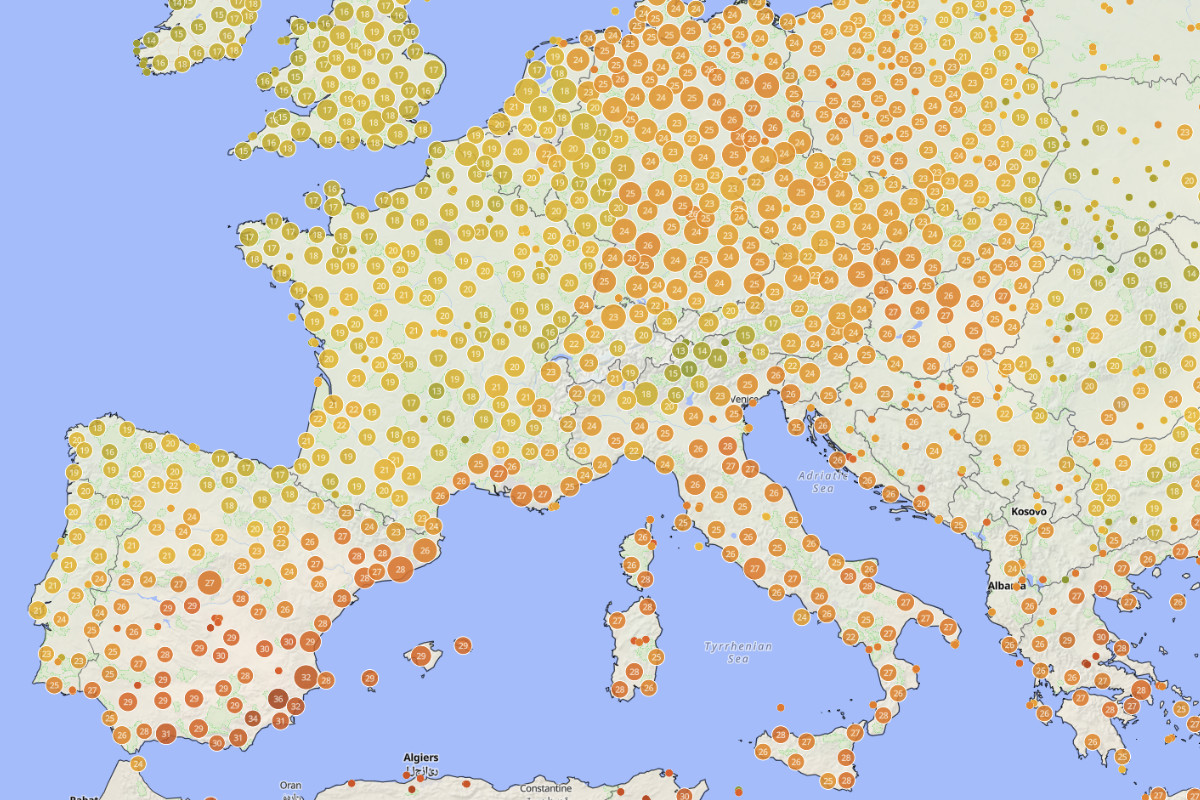
The result is a cleaner Map experience and a much faster way to identify regional weather patterns at a glance.
⏳ Forecast Timelines
Forecast layers have also received a major upgrade.
A new interactive timeline allows you to visualize how weather conditions evolve over time. Simply press Play or drag the timeline slider to explore upcoming predictions for any weather variable.

Whether you are tracking wind evolution, following incoming precipitation, monitoring temperature changes, or analyzing pressure systems, the timeline provides valuable temporal context that makes forecasting significantly more intuitive and useful.
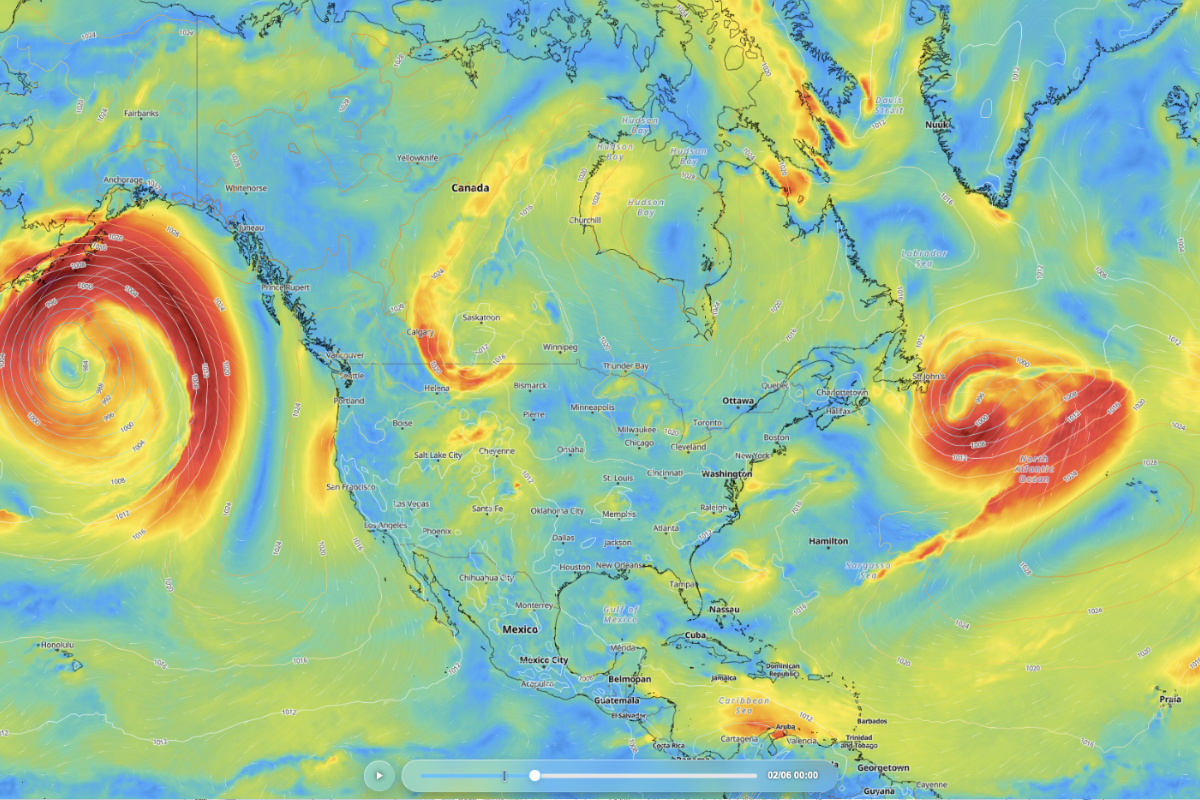
This transforms Weathercloud’s forecast layers from static snapshots into a dynamic forecasting experience, helping users understand not only what weather is expected, but also how conditions will develop over time.
🏙️ 3D Cities
Exploring cities has become even more immersive.
At higher zoom levels, the Map now renders 3D buildings, adding realistic depth and valuable geographical context to urban environments.
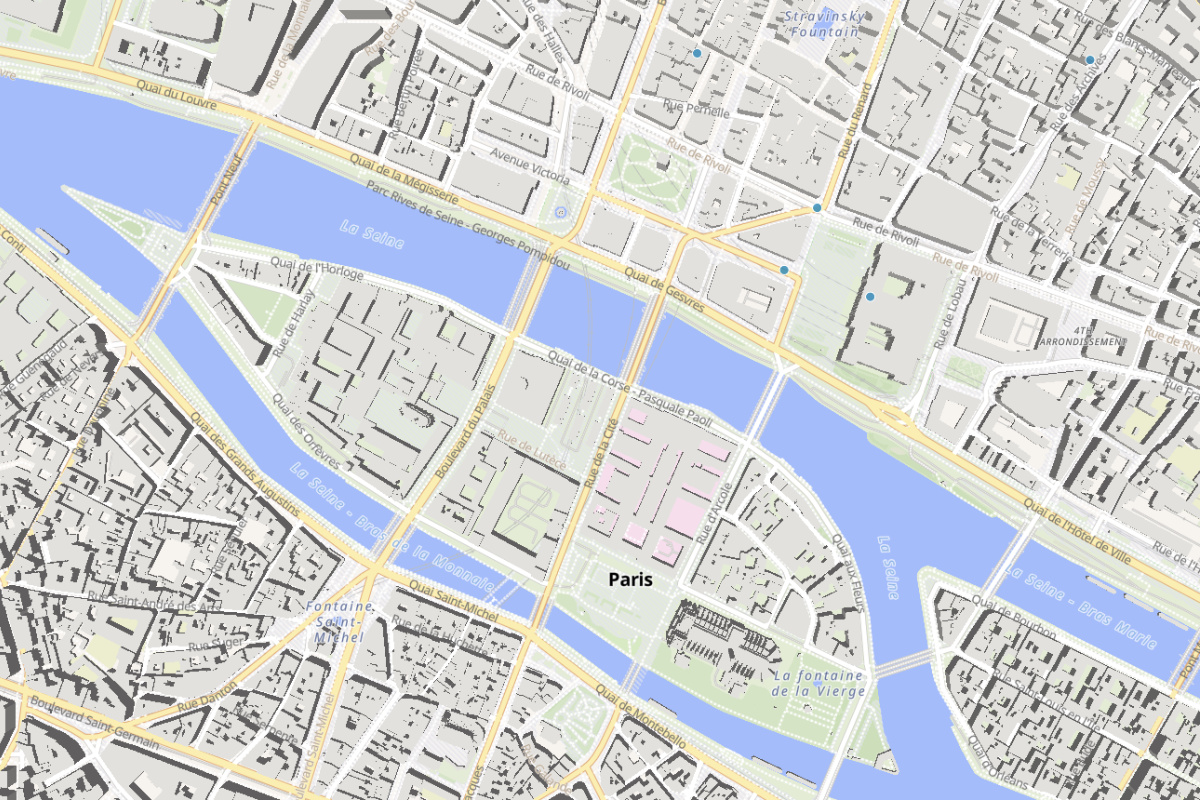
This subtle yet powerful enhancement improves orientation and makes exploring weather conditions within cities feel more natural and engaging.
🌍 Globe View
Perhaps the most visually striking addition in Weathercloud 15 is the new Globe View.
With a single click, you can instantly switch from the traditional flat Map to a fully interactive 3D representation of Earth.
All your favorite Map features remain available in Globe View, including:
- Device layers
- Forecast layers
- Wind particle animations
- Isobar lines
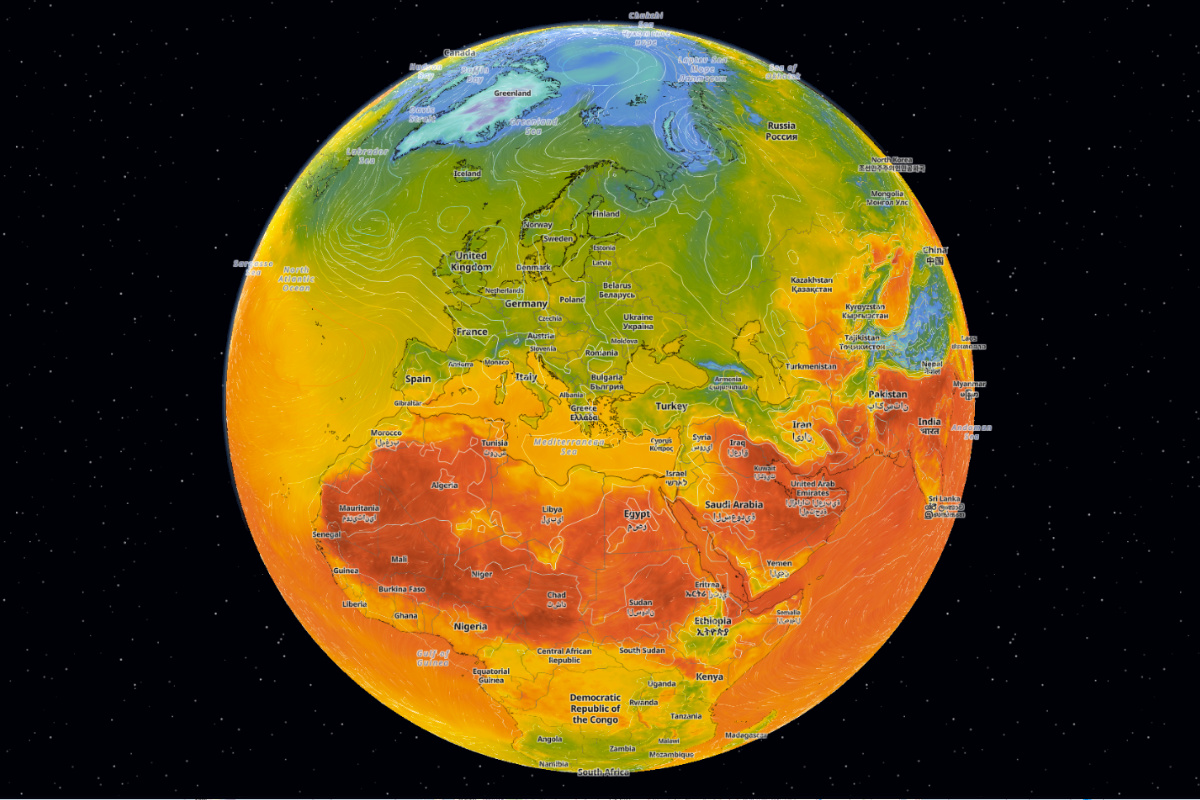
The Globe View offers an entirely new perspective for understanding weather on a planetary scale. Large atmospheric systems, jet streams, regional wind circulation, and evolving weather fronts become far easier to interpret when viewed across the curvature of the Earth.
Whether you are a meteorologist, pilot, sailor, researcher, or simply passionate about weather, Globe View provides an engaging new way to explore the atmosphere from a truly global perspective.
✨ Additional Improvements
Weathercloud 15 also includes several other enhancements:
- Modernized Device Gauges: We have refreshed the color palette of all weather gauges, providing a more vibrant and contemporary appearance while improving readability.
- Improved Temperature Gauges: Temperature gauges now turn blue when temperatures fall below freezing, making them easier to identify at a glance.
- Private Device Sharing for Corporate Users: Weathercloud Corporate users can now share their private devices exclusively with selected users, making data access management more flexible and convenient.
- New Corporate & Municipal Account Badges: Corporate and Municipal accounts are now identified with dedicated badges, making official organizations easier to recognize across the Weathercloud platform.
- Improved Translations: We have enhanced translations across all supported languages to provide a more consistent, accurate, and polished user experience.
- Platform Performance Enhancements: Various optimizations have been implemented to deliver a faster, smoother, and more responsive Weathercloud experience.
- Integration with WUHU Weather Software: Users of this Windows-based weather software can now seamlessly upload their weather data to Weathercloud.
- Compatibility with ACCUR8 DW Series: Owners of these device models can now transmit their weather data directly to Weathercloud.
🚀 Weathercloud 15 is Available Today
All these improvements are now available on the Weathercloud platform. We invite you to discover the new Map experience and enjoy a faster, cleaner, and more powerful way to visualize and understand weather data.
📱 The Weathercloud Mobile App is Almost Here
We are also excited to share that the Weathercloud mobile app for iOS and Android has entered beta testing ahead of its public release later this summer. We are closer than ever to bringing the Weathercloud experience to mobile devices, and we cannot wait to share it with our community.
💬 We’d Love to Hear From You
As always, we sincerely appreciate your continued support and feedback as we continue building the future of Weathercloud. If you have any comments, suggestions, or ideas, please feel free to share them below. Thanks!
Nefunguje mi to aj ked som prihlásený. 9 mesiacov sa mi to neaktualizovalo!!
Hi meteokristinka, please feel free to contact our Support team here: https://weathercloud.net/about-us#contact. They will be happy to assist you with reconnecting your device to Weathercloud. Thank you!
What is the cost?
How to sign in?
Hi Douglas, our Basic plan is completely free and offers a wide range of features for monitoring, managing, and sharing your weather data online.
You can sign in to your Weathercloud account here: https://app.weathercloud.net/signin. If you don’t have an account yet, you can create one here: https://app.weathercloud.net/signup
Hi Rodney Elliott NZ,
IHAMUR7, Living in the Southern Hampshire my wind direction is 180 degrees out on my app, Can you rectify this at your end.
Cheers Rodney Elliott.
Hi Rodney, we display the data exactly as it is received from your device, without making any alterations to the wind direction. We recommend checking that the wind vane is correctly installed and aligned according to the manufacturer’s instructions, as incorrect installation can result in the wind direction being 180° off. If the wind direction data is correct on your device console, the issue may be related to the software you are using to transmit your data to our platform.
Hi Weathercloud Team, Thank you for the fantastic update on Weathercloud 15! The new Map features look incredible. I know the team has been working hard on the upcoming iOS and Android apps. Since we are approaching the end of summer, I was just wondering if you have an updated estimate on when the public release might be available in the app stores? Keep up the great work, and thank you for building such an awesome platform!
Hi RC Chuah, thank you very much for your kind words! We really appreciate your support, and it motivates us to keep improving Weathercloud with new features and enhancements. We’re also excited to share that our iOS and Android apps are scheduled to be released next month. We can’t wait to share them with you!
Wow, that is amazing news! Thank you so much for the update. I absolutely cannot wait for next month’s release. Keep up the phenomenal work, Weathercloud team!